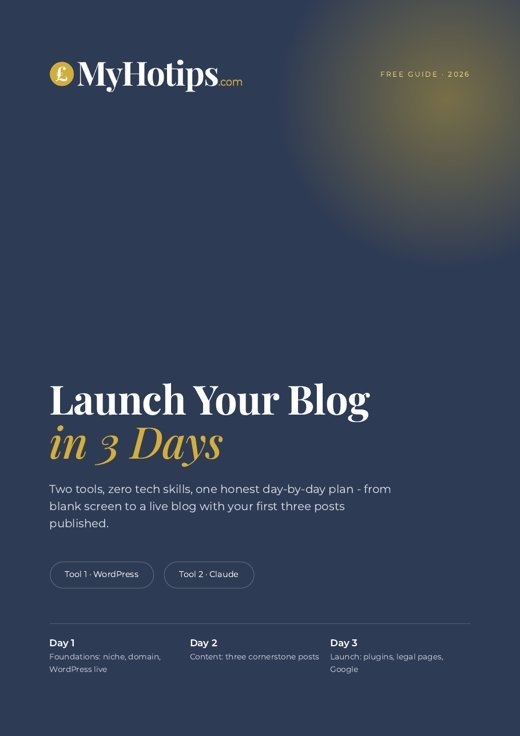
Put this into practice

Websites & SEO · Toolkit guide
From Domain to Live Website: The Beginner Route to Getting Online
Read guideMyHotips started because a lot of us were trying to build something online from a spare room, usually with a website that felt like shouting into an empty field. The Money Growth side of the site is about income that lasts, and a website you own is one of the few things online that keeps working while you sleep, provided people can actually find it.
Websites & SEO covers the whole journey: choosing a domain, picking a host and a website builder, writing content people want, and helping search engines send them your way. We start with the free and simple version of each step, then tell you where paying for a better tool genuinely helps.

Related guide: Blog setup checklist
Quick Overview
In this guide:
This page is the map. Each article linked below goes into one piece in more detail.
Start Here
New here? These are the articles we would read first: getting set up, then getting found.
The Four Foundations
Genuinely Helpful Content
Most websites that grow do it by answering real questions clearly: how to fix something, which option to pick, what something actually costs.
Write for the person searching, not for the search engine. Clear steps, honest opinions and real examples build trust.
Over time, those useful pages are what bring people back and get shared.

Being Found in Search
Search engines are still one of the biggest sources of steady, long-term visitors for small websites.
SEO simply means making it easy for search engines to understand what each page is about, so it can appear when someone looks for that topic.
Related guide: SEO explained

Hosting That Keeps Up
Your host is where your website lives. A slow or unreliable one frustrates visitors and can hold your pages back in search.
Cheap introductory deals are common, so always check the renewal price, not just the first-year offer.
Related guide: Top 10 web hosting in the UK

Somewhere for Visitors to Stay
Most visitors read one page and leave. Traffic on its own is not enough.
A simple email sign-up gives the interested ones a reason to come back, long after they first found you through search.
Related guide: our Online Marketing guide

Tools Worth Knowing About
SEO Tools
SEO tools show how your pages perform in search and where the opportunities are.
They can show you:
Tool guide: Top 10 SEO tools for bloggers

Website Builders
Modern website builders let you create a professional-looking site without touching code.
The right one depends on how much control you want: an all-in-one builder is quickest to start, while WordPress gives you the most flexibility.
Platform guide: Top 10 website builders in the UK

Knowing What Works
Free tools such as Google Search Console and Google Analytics show which pages people find, what they search for to get there, and which pages lead to sign-ups.
Check them monthly, not hourly. The useful patterns only show up over weeks.
Related comparison: Semrush vs Ahrefs, for when free tools are not enough

Speed, Security and Mobile
Most people will visit on a phone, so your site needs to load quickly and look right on a small screen.
A secure connection (the padlock in the address bar), regular backups and keeping things updated protect both you and your visitors.
Related comparison: Webflow vs WordPress

Domains and Hosting
Choosing a Domain
Keep it short, easy to say out loud and easy to spell. A .co.uk or .com works well for most UK businesses. Watch renewal prices and paid extras at checkout.
Related guide: Top 10 domain registrars in the UK
Managed Hosting
Managed WordPress hosts look after speed, security, backups and updates for you. They cost more, but can save hours once your site matters to your income.
Hosting review: Kinsta review
Starter Hosting
Shared hosting is the cheapest way to get a site online and is fine for most new blogs. You can move to something faster once traffic grows.
Hosting comparison: Bluehost vs SiteGround
Keeping It Maintained
Updates, backups and the odd broken link are the unglamorous side of running a website. Put a short check in the diary once a month, or choose a host that handles most of it for you.
Hosting review: WP Engine review
Final Thoughts
MyHotips started because building something online should not mean waiting for an algorithm to notice you. Websites & SEO is where we look at the tools and habits that help a small site get found.
Traffic rarely arrives overnight. Most sites grow gradually through steady, useful content, a fast and reliable setup, and a little patience while search engines catch up.
Start simple: a sensible domain, honest hosting, a builder you are comfortable in and the free Google tools. Upgrade one thing at a time when it is clearly holding you back.
And give visitors a reason to stay in touch, because a website that brings people back is worth far more than one that only brings them once.
FAQ
What does Websites & SEO cover?
Domains, hosting, website builders, SEO and analytics. Email and funnels live in Online Marketing, and online shops in Selling Online.
How long does SEO take to work?
Usually months rather than weeks. New sites often need time and a steady stream of useful pages before search traffic picks up.
Do I need paid SEO tools?
Not at first. Google Search Console is free and shows what people search for to find you. Paid tools help once you are publishing regularly and want deeper research.
Should I use WordPress or a website builder?
A builder is quicker to start and easier to look after. WordPress gives more control and flexibility, but needs a little more maintenance.